Every SEA.AI software update is driven by one goal: give operators the clearest possible picture of what is happening around their vessel or perimeter, so they can act before situations become emergencies.
This release delivers meaningful advances, from sharper AI detection of rare and dangerous targets to deeper chart plotter integration and more granular control over surveillance zones.
1. Shared improvements: Sentry and Watchkeeper
Thermal AI detection: now spotting what used to go unnoticed
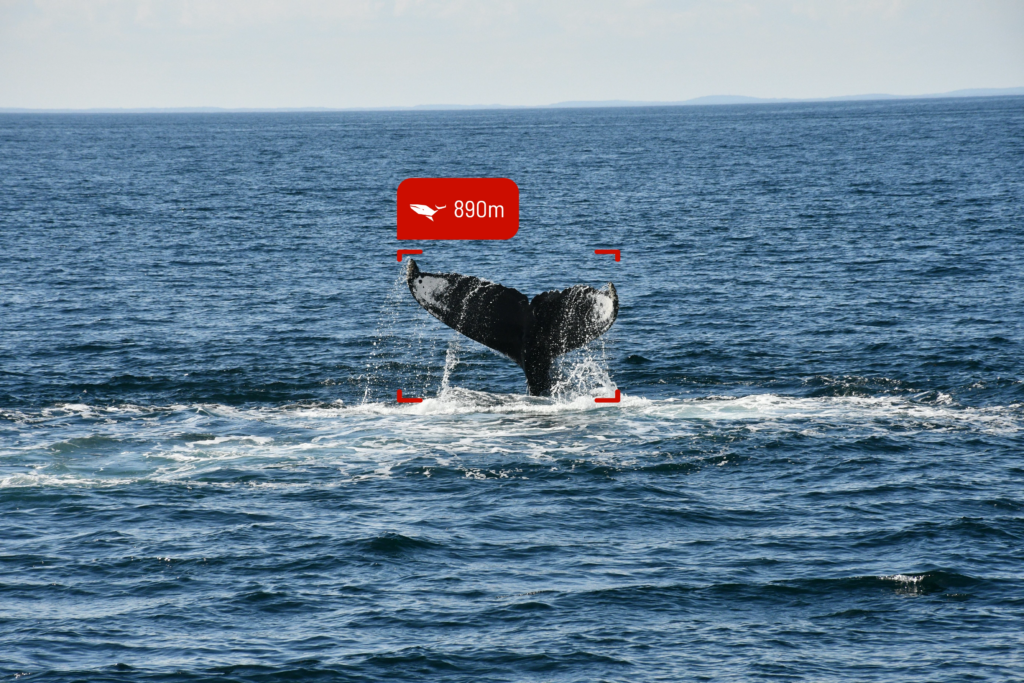
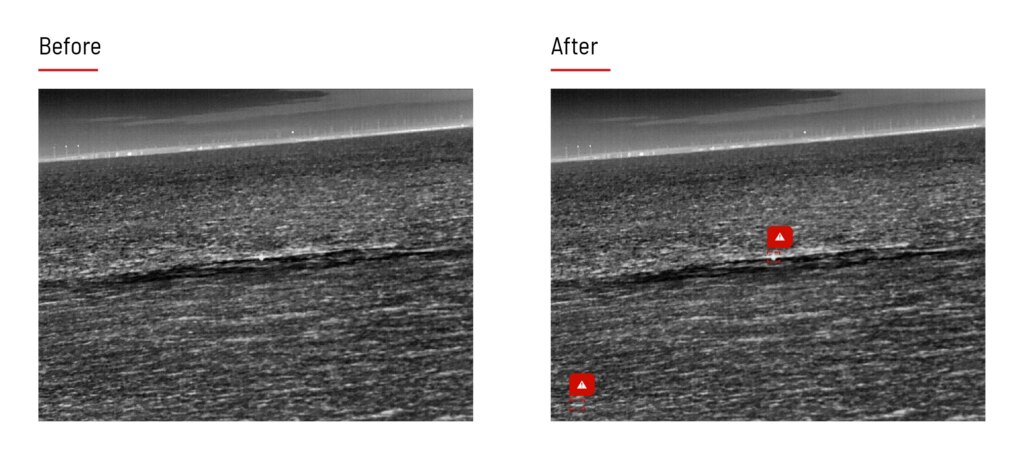
The most significant improvement in this update applies to both Sentry and Watchkeeper. The thermal AI models have been retrained and refined to deliver a step-change in performance on smaller, less common, and historically difficult targets:
- Growlers (partially submerged ice fragments)
- Drift ice
- Whales
- Wooden logs and buoys
- Floating naval hazards
These are precisely the targets where missing a detection has the most serious consequences. Growlers and drift ice pose a direct collision risk in high-latitude waters. Sea mines remain an active threat in several regions. Whales, logs, and debris cause costly hull damage every season.
The before/after results show a clear improvement in detection confidence and range for these target classes, alongside continued reliability for the standard small object categories both products already handle well.
For operators and dealers: this is not a configuration change. The improvement is delivered automatically via the updated AI model. No action is required on your end.
Smoother performance in crowded scenarios
Dense traffic environments put extra load on any detection system. This update improves frame rate stability and overall system reliability when multiple targets are present simultaneously.
Operators working in busy ports, straits, or congested coastal areas will notice fewer dropped frames and more consistent tracking behavior under load.
Improved NMEA2000 connection
NMEA2000 connectivity has been improved, with automatic reconnection now built in.
This means the system recovers gracefully from temporary network interruptions without requiring manual intervention, keeping your data flow reliable in real-world operating conditions.
Sentry: target tracking and new language support
Target Tracking Operation mode: clearer RTSP output
The RTSP stream now visually distinguishes the currently tracked target from other detected objects in the scene, making it immediately clear to any downstream display or recording system which object the system is actively following.
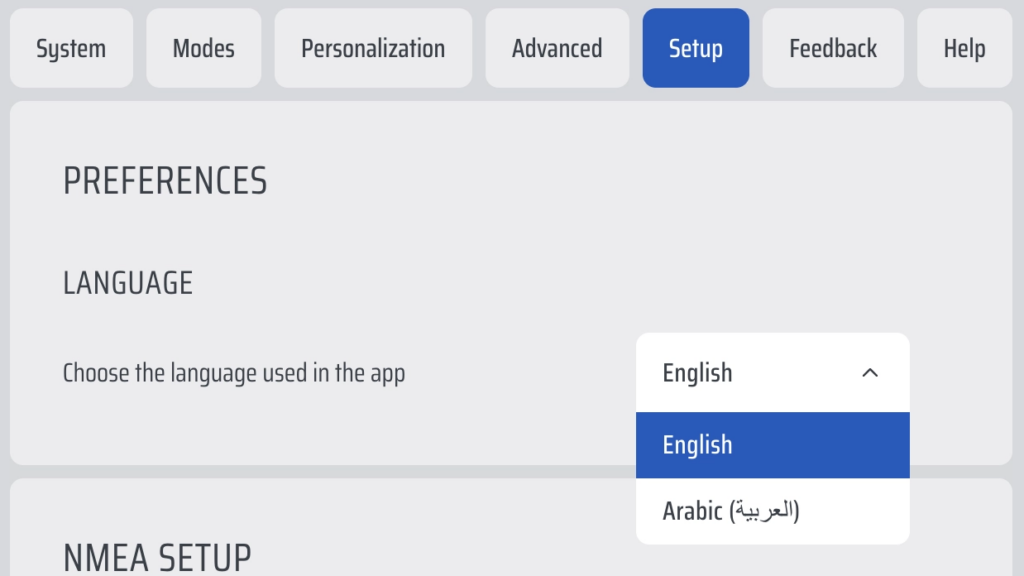
Arabic language now available
The Sentry interface is now available in Arabic, extending accessibility for operators and fleets in the Middle East and North Africa region.
This addition reflects SEA.AI’s continued commitment to making maritime AI accessible to a global user base.
3. Sentry (coastal monitoring): precision control over your surveillance zones
Both of Sentry (coastal monitoring)’s core operation modes have been significantly upgraded, giving security operators far more granular control over what triggers an alert and what does not.
Upgraded Area Watch
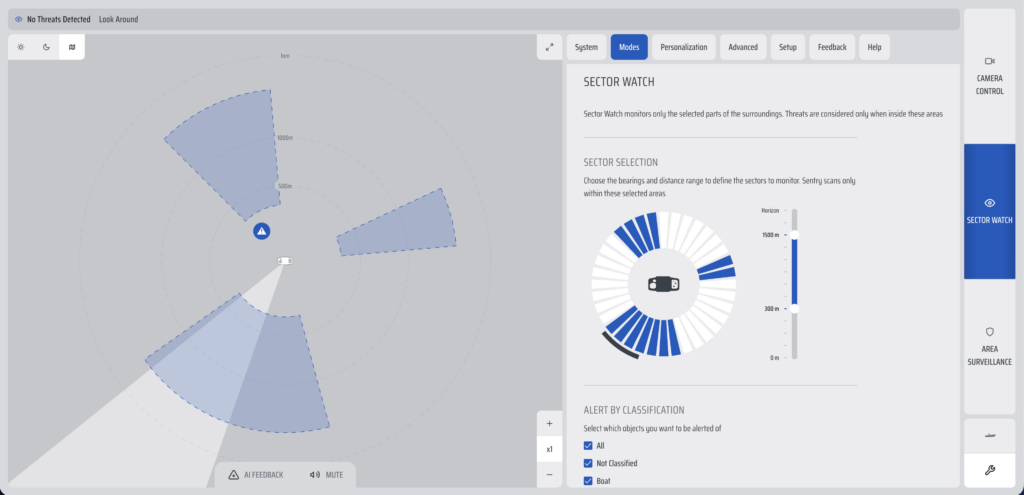
Area Watch now allows users to define exactly where in the real world the system should be paying attention. Operators can:
- Select specific rotation sectors for pan/tilt camera coverage
- Set minimum and maximum distance boundaries to focus on a defined range
- Filter alerts by object classification (person, vehicle, vessel, etc.) and object size
Only detections that fall within the configured zone and match the active filters will trigger an alarm. This directly reduces false positive rates in installations where background activity outside the zone of interest would otherwise generate unnecessary alerts.
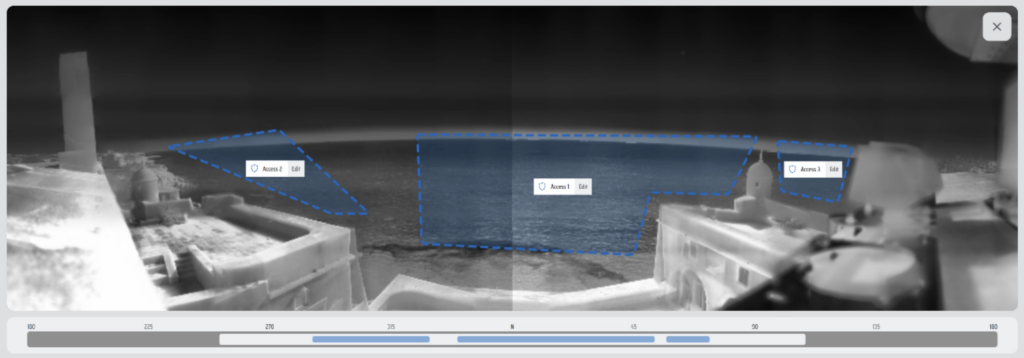
Upgraded Perimeter Surveillance
Perimeter Surveillance now supports fully custom monitoring areas defined in image space, giving operators pixel-level control over which parts of the camera view are active. Key capabilities include:
- Multiple independent monitoring areas per camera
- Per-area filtering by object classification and object size
- Alerts only for detections within the defined areas
This is particularly valuable for complex installations where different zones carry different threat levels and require different alert logic.
A waterfront perimeter, for example, can have separate rules for the dock area, the water boundary, and the access road, all managed from a single interface.
4. Watchkeeper: full TimeZero integration
This update delivers full compatibility between Watchkeeper and TimeZero Pro, one of the most widely used chart plotter platforms in the professional maritime market. The integration operates on three distinct layers:
1. App inside TZ Pro
The Watchkeeper application runs natively inside TimeZero Pro’s embedded HTML5 tab. Operators control the system without switching screens or leaving the chart environment.
2. Live video streams
Daylight and thermal video feeds from Watchkeeper are available directly inside TZ Pro’s Camera tab via RTSP streams, keeping all situational awareness tools in one place.
3. Detections on the chart
SEA.AI-detected targets appear as overlays on the TZ Pro chart, displayed alongside radar and AIS contacts. The helm sees one unified picture of the surrounding environment, rather than managing separate screens for AI, radar, and AIS.
For dealers and integrators: this integration significantly simplifies the installation story for customers who are already running TimeZero Pro. The system can be presented and demonstrated entirely within the TZ Pro environment.
Summary: what this update delivers
PRODUCT | KEY IMPROVEMENTS |
|---|---|
Sentry | Target Tracking Operation mode (RTSP), Arabic language support |
Sentry (Coastal Monitoring) | Upgraded Area Watch with distance and sector control, Upgraded Perimeter Surveillance with per-area filtering |
Watchkeeper | Full TimeZero Pro integration (app + streams + detections) |
Sentry + Watchkeeper | Improved thermal AI detection, NMEA2000 connection improvements, stability in crowded scenarios |
Update your system
You can update your system in three simple ways:
- Directly from the SEA.AI App (recommended):
Just connect your phone and the SEA.AI Sentry to the same onboard Wi‑Fi network. The app will guide you through the update process — fast, simple, and without accessing any portal. - Via the SEA.AI Connect Portal:
Log in to your account and download the update package from your device page. - From our Document Library:
Access the latest Sentry software file and Watchkeeper software file.